Buy for other people and hand the seats out
Buy more than one of a course, then give each seat to someone by email from My Learning. You can take a seat back until they start.
-
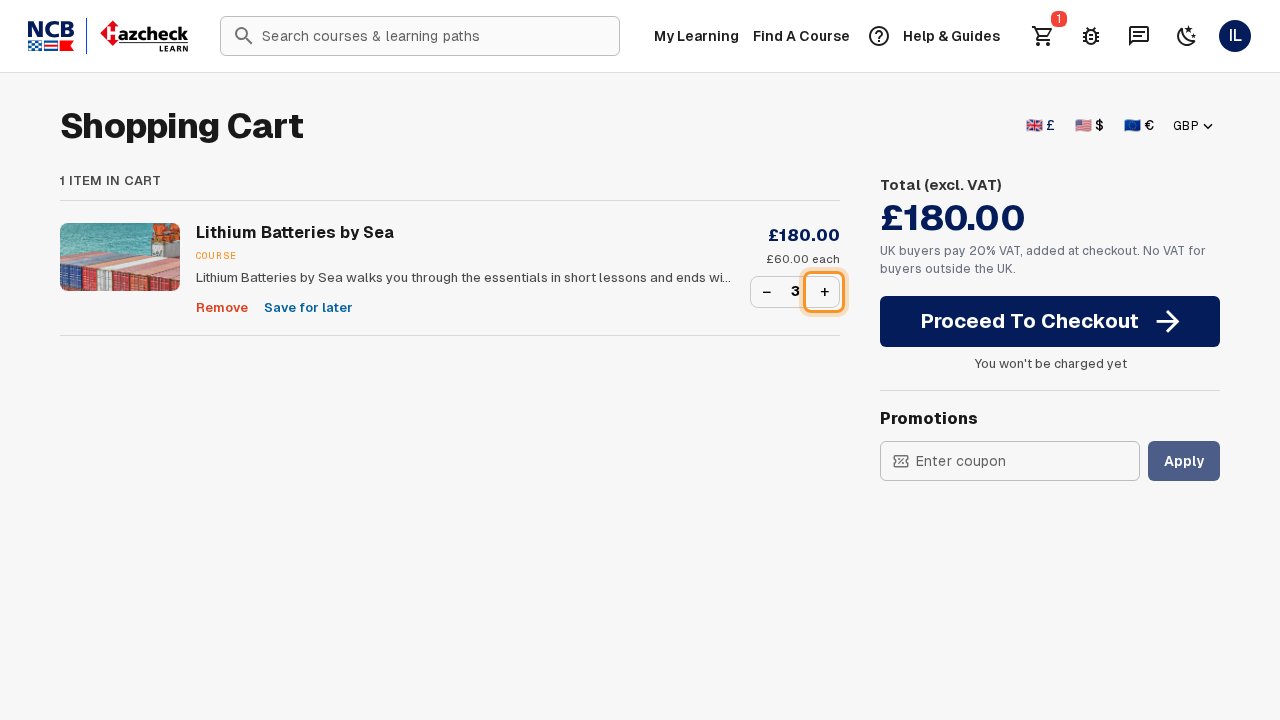
Step 1: Choose how many you need
Add the course to your cart, then use + and − to set how many seats you need. The price updates as you go. At checkout, choose the billing country first: UK buyers pay 20% VAT, shown in the price.
-
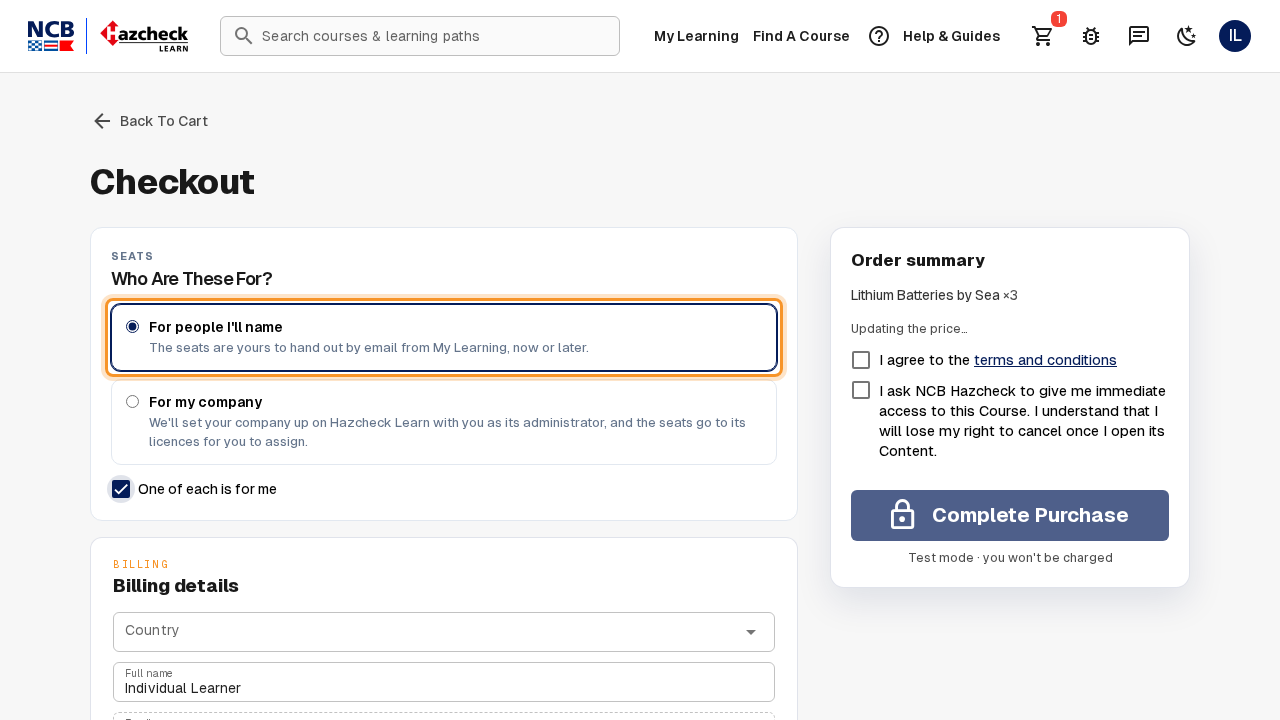
Step 2: Say who they are for
Checkout asks who the seats are for. Choose "For people I'll name" to hand them out yourself, and tick "One of each is for me" if you are taking the course too.
-
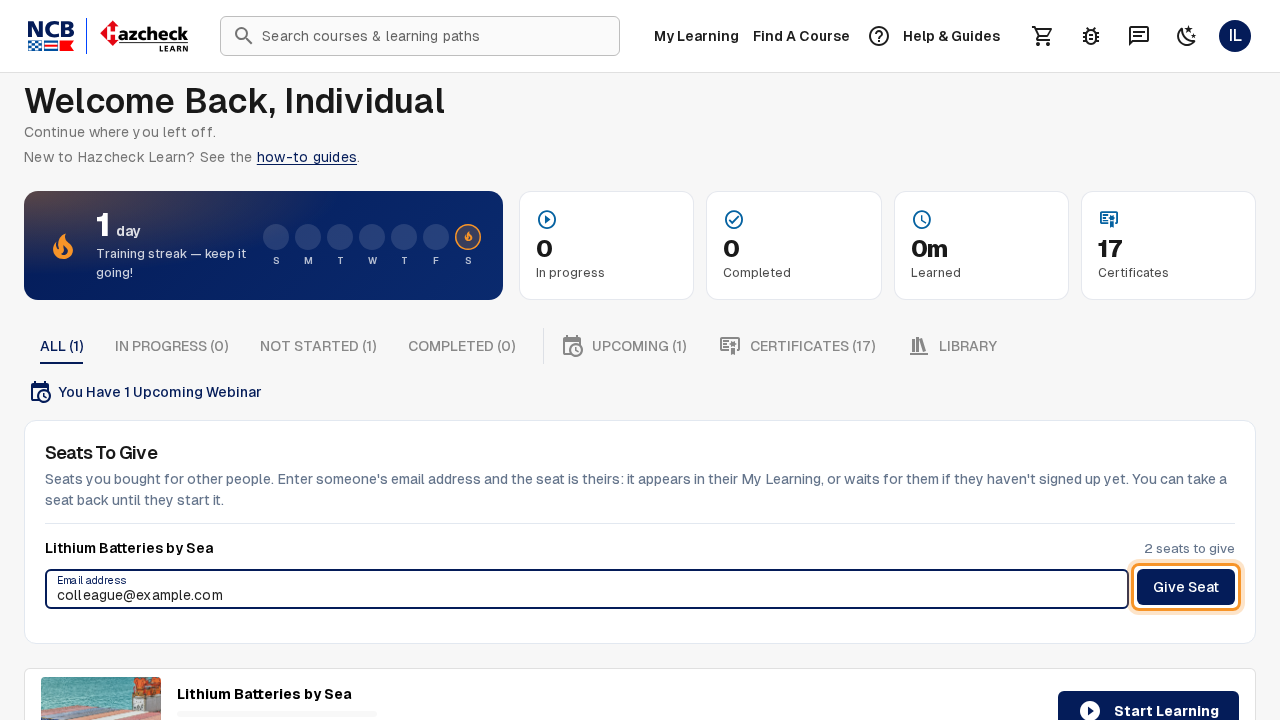
Step 3: Give a seat to someone
Under Seats to give on My Learning, enter the person's email address and select Give seat. If they have an account the course appears in their My Learning; if not, the seat waits for them to sign up with that address.
-
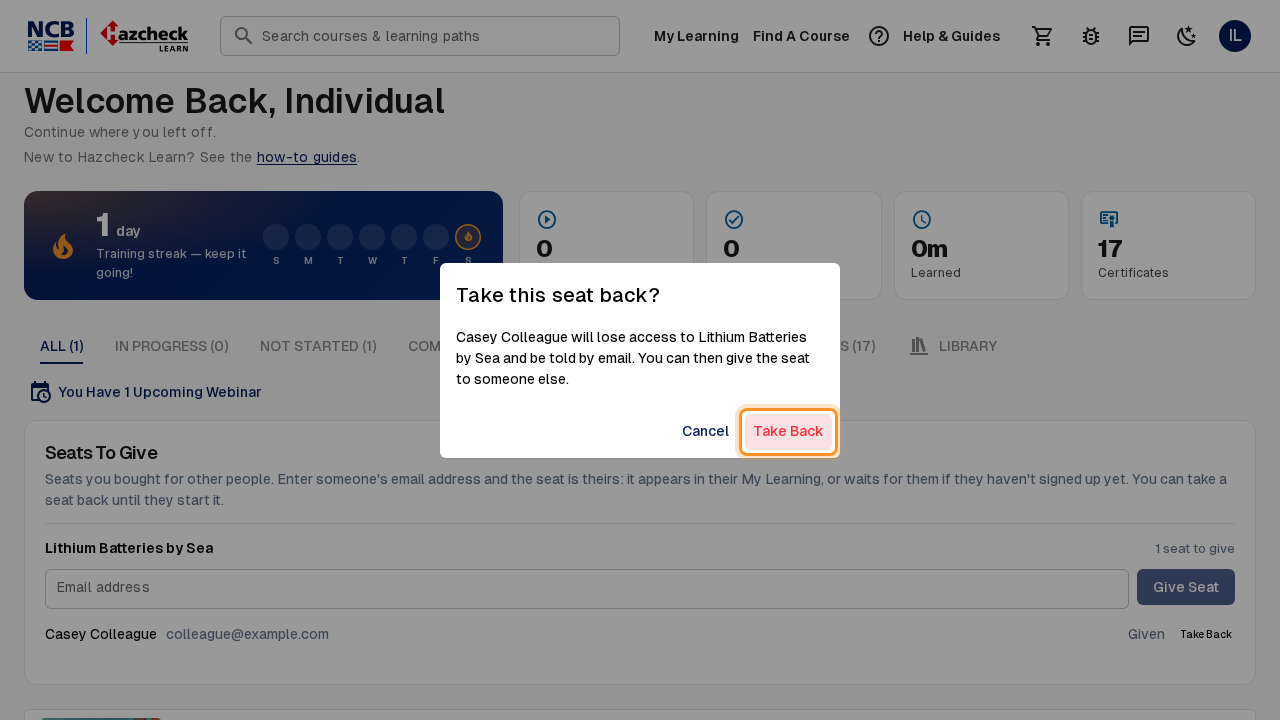
Step 4: Take a seat back
Until someone starts the course you can take their seat back and give it to someone else. They are told by email. Once they have started, the seat stays with them.